In this article
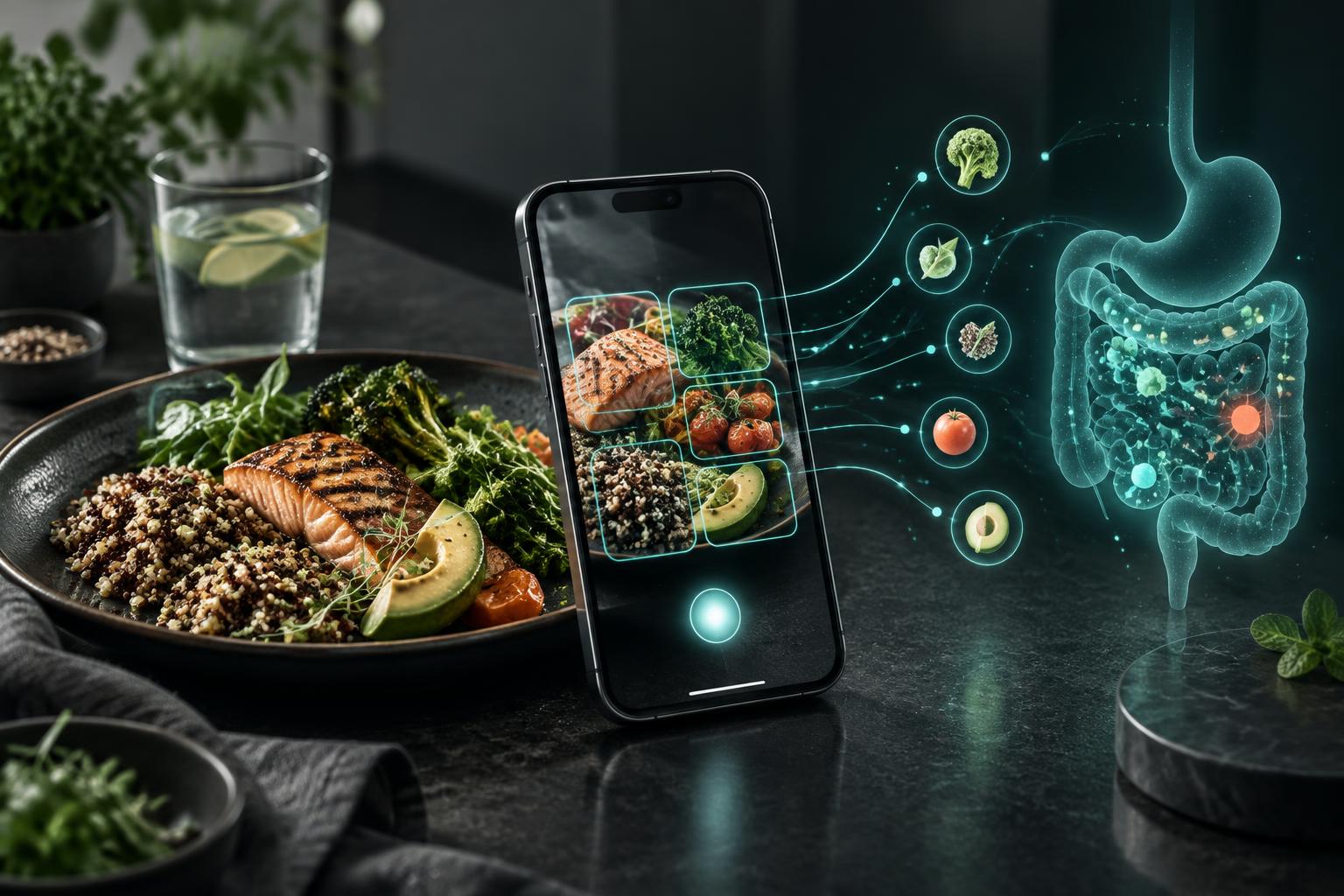
- How the AI food tracking app turns a photo into a useful log
- What an AI meal scanner can—and cannot—see
- How digestive patterns emerge over time
- Use AI-generated insights safely
- When voice logging is more practical than a photo
- A worked example: from one meal to a useful timeline
- From daily logs to questions and reports
- How to capture a meal that is easier to review
- A five-point quality check before saving
- How to review AI-organised patterns responsibly
How the AI food tracking app turns a photo into a useful log
- 1
Capture the meal
Take a clear photo or use voice entry when a photo is not practical.
- 2
Review the suggested ingredients
Confirm, add or remove ingredients and correct approximate portions.
- 3
Save the context
Add meal time, symptoms and anything important that the image cannot show.
- 4
Connect later outcomes
Log symptoms and bowel changes so the meal sits in a meaningful timeline.
What an AI meal scanner can—and cannot—see
| It can help estimate | It may miss | Your role |
|---|---|---|
| Visible ingredients | Hidden oils, dressings and seasonings | Confirm recipe details |
| Approximate portions | Exact weight | Correct the serving |
| Likely meal components | Preparation method or substitutions | Edit the draft |
| A faster starting point | Allergens or medical safety | Never rely on a scan for allergy decisions |
How digestive patterns emerge over time
One photo does not produce an insight. Value comes from repeated, corrected logs connected with symptom timing and everyday context. Gut Pace helps make those comparisons easier to review.
- Meals and ingredients that repeatedly precede similar symptoms.
- Portions that appear tolerated at one level but not another.
- Differences between well-rested and poorly rested days.
- Hydration or routine changes that coincide with bowel changes.
Learn the four-week method for finding food-trigger patterns
Use AI-generated insights safely
Ingredient and portion suggestions are estimates. Review them before saving, and treat any pattern as a hypothesis to test or discuss with a qualified professional.
When voice logging is more practical than a photo
A photo is not always available or informative. Soups, stews, sauces and mixed dishes can hide important ingredients, while meals eaten away from home may be easier to describe aloud.
Voice entry provides another starting point, but the same review principle applies: confirm ingredients, preparation details and portions before treating the entry as complete.
| Situation | Useful capture method | Detail to confirm |
|---|---|---|
| Visible plated meal | Photo | Hidden oils, sauces and portion |
| Soup, curry or stew | Voice plus optional photo | Recipe ingredients and serving size |
| Restaurant meal | Photo and menu description | Dressings, seasonings and substitutions |
| Snack without a photo | Voice | Brand, amount and time |
| Repeated home meal | Reuse and edit a prior pattern | Anything that changed this time |
A worked example: from one meal to a useful timeline
This hypothetical example shows the workflow; it is not a real user result or medical interpretation.
| Step | What the app can organise | What the person should review |
|---|---|---|
| Capture | A photo of a chicken and rice bowl | Was the whole serving visible? |
| Ingredient draft | Chicken, rice, vegetables and sauce | Add hidden garlic or oil and correct omissions |
| Portion review | Estimated component amounts | Adjust amounts to reflect what was eaten |
| Context | Meal time beside sleep and hydration | Add anything the image cannot show |
| Later outcome | A symptom entry on the same timeline | Describe type, severity and onset |
| Pattern review | Similar meals and outcomes across time | Treat the association as a question, not a diagnosis |
From daily logs to questions and reports
Once corrected logs accumulate, Gut Pace can help organise recent patterns for review. The AI Gut Coach can use the information in your logs to help you ask more specific questions, while report tools can summarise history for a healthcare conversation.
An organised report is still a record of observations. It does not confirm intolerance, allergy, IBS or another condition, and a clinician may need additional history or testing.
- Review suggested ingredients before saving.
- Log well days as well as symptom days.
- Keep portions and symptom timing reasonably consistent.
- Use reports to communicate observations, not to present a self-diagnosis.
How to capture a meal that is easier to review
A useful meal photo shows the whole plate in reasonable light from an angle that makes portions visible. It does not need to be styled. If an ingredient is hidden, add it by voice or text rather than retaking the meal repeatedly.
Photograph packaged food with the meal if the brand or serving matters, but do not rely on the front label alone. Ingredient lists, preparation and the amount actually eaten may provide more context.
The fastest workflow is capture, correct and continue. Spending too long perfecting a record can make logging harder to sustain.
- Include the plate or container edge for scale.
- Capture sauces, drinks and sides that are part of the meal.
- Correct ingredients the image cannot identify.
- Record the amount eaten if it differs from the serving shown.
- Never photograph private medical information in the background.
A five-point quality check before saving
AI-generated meal details should be treated as a draft. A quick quality check improves the timeline without requiring exact weighing. Confirm the meal name, major ingredients, hidden additions, approximate amount eaten and time.
If the app suggests a food that was not present, remove it. If it misses a dressing or onion in a sauce, add it. Corrections are especially important when you plan to compare meals by FODMAP content or discuss the record with a clinician.
Consistency matters more than false precision. Use the same rough portion language across similar meals so comparisons remain understandable.
| Check | Question | Example correction |
|---|---|---|
| Meal identity | Is the dish named correctly? | Curry rather than soup |
| Main ingredients | Are visible foods accurate? | Tofu rather than chicken |
| Hidden ingredients | What cannot the image show? | Garlic in sauce |
| Amount eaten | Did I finish the photographed serving? | About half remained |
| Timing | When was it actually eaten? | Correct a delayed entry |
How to review AI-organised patterns responsibly
A useful pattern includes repeated exposure, a reasonably consistent response and exceptions. For example, symptoms after three large onion-containing meals are more informative than one alert after a mixed restaurant dinner.
Before acting, check whether the suggested pattern could reflect portion, stacking, sleep, stress, illness, medicines or bowel pattern. AI can organise those observations but cannot know the biological cause.
Use a pattern to form a question: what should I observe next, what can be compared safely, and does this need professional assessment? Avoid turning a suggestion into a permanent restriction or diagnosis.
- 1
Confirm the source entries
Open the meals and verify that ingredients and portions are accurate.
- 2
Look for repetitions and exceptions
Include symptom-free exposures and symptoms without the food.
- 3
Check wider context
Review sleep, activity, medicines and bowel pattern.
- 4
Choose the next action
Continue observing, make one safe comparison or share a report with a professional.
At a glance
Key takeaways
- A photo creates a fast, editable meal draft.
- Human review improves ingredient and portion accuracy.
- Symptoms, hydration, sleep and bowel changes add essential context.
- Useful insights require repeated logs, not a single image.
- AI estimates are not suitable for allergy or diagnostic decisions.
Frequently asked questions
Can a photo food diary identify every ingredient?
No. Hidden ingredients, exact portions and preparation details may be missed, so users should review and correct the draft.
Can an AI meal scanner detect an intolerance from one photo?
No. A photo cannot diagnose an intolerance or prove that a food caused a symptom. Gut Pace helps organise reviewed meal details and repeated associations for further investigation with a qualified healthcare professional.
Why is photo logging useful for gut health?
It lowers the effort of recording meals, which can make consistent tracking more realistic.
Does Gut Pace make allergen decisions?
No. AI meal recognition should never be relied on for allergen safety or emergency decisions.
Can the scanner handle home-cooked or mixed dishes?
It can propose a draft, but sauces, stews and mixed meals often need more manual correction because hidden ingredients are not visible.
Can I log a meal without taking a photo?
Yes. Voice entry provides another way to create a meal draft when a photo is unavailable or unhelpful.
Does the AI Gut Coach replace a doctor or dietitian?
No. It can help organise questions using recent logs, but it cannot diagnose, prescribe treatment or replace qualified professional care.
Editorial information
Reviewed by the Gut Pace Editorial Team to explain product capabilities accurately and clearly separate pattern recognition from medical or allergen decisions.
Last reviewed: Sep 12, 2026
Sources & further reading
- NIDDK — Diagnosis of IBS
- Monash University — About FODMAPs and IBS
- NIDDK — Your digestive system and how it works
- NHS — Food intolerance
- PMC — Remote Food Photography Method validation
This article is for general information only and is not medical advice. It does not diagnose or treat any condition. Speak with a doctor or registered dietitian about persistent, severe or concerning symptoms.